Example: Tetris
PyBoy is loadable as an object in Python. This means, it can be initialized from another script, and be controlled and probed by the script. Take a look at the example below, which interacts with the game.
All external components can be found in the PyBoy Documentation. If more features are needed, or if you find a bug, don’t hesitate to make an issue here on GitHub, or write on our Discord channel.
For Game Boy documentation in general, have a look at the Pan Docs, which has clear-cut details about every conceivable topic.
First frame |
GIF |
Last frame |
|---|---|---|
|
|
|
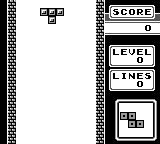
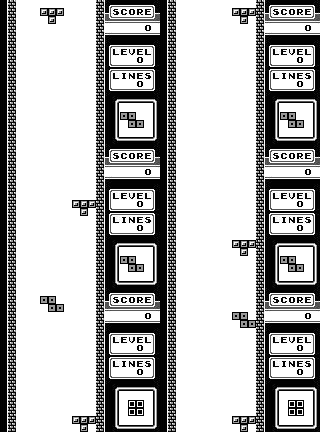
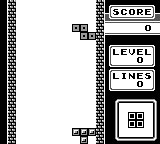
>>> pyboy = PyBoy(tetris_rom)
>>> pyboy.set_emulation_speed(0)
>>> assert pyboy.cartridge_title == "TETRIS"
>>> tetris = pyboy.game_wrapper
>>> tetris.game_area_mapping(tetris.mapping_compressed, 0)
>>> tetris.start_game(timer_div=0x00) # The timer_div works like a random seed in Tetris
>>> pyboy.tick() # To render screen after `.start_game`
True
>>> pyboy.screen.image.save("Tetris1.png")
>>> from pyboy.utils import WindowEvent
>>> pyboy.send_input(WindowEvent.SCREEN_RECORDING_TOGGLE)
>>> pyboy.tick()
pyboy.plugins.screen_recorder  INFO     ScreenRecorder started: GIF
True
>>> tetromino_at_0x00 = tetris.next_tetromino()
>>> assert tetromino_at_0x00 == "Z", tetris.next_tetromino()
>>> assert tetris.score == 0
>>> assert tetris.level == 0
>>> assert tetris.lines == 0
>>> tetris.reset_game(timer_div=0x00) # Checking that a reset on the same `timer_div` results in the same Tetromino
>>> assert tetris.next_tetromino() == tetromino_at_0x00, tetris.next_tetromino()
>>> blank_tile = 0
>>> game_area = tetris.game_area()
>>> first_brick = False
>>> for frame in range(1000): # Enough frames for the test. Otherwise do: `while pyboy.tick():`
...     assert pyboy.tick(1, True)
...
...     # The playing "technique" is just to move the Tetromino to the right.
...     if frame % 2 == 0: # Even frames to let PyBoy release the button on odd frames
...         pyboy.button("right")
...
...     # Illustrating how we can extract the game board quite simply. This can be used to read the tile identifiers.
...     game_area = tetris.game_area()
...     # game_area is accessed as [<row>, <column>].
...     # 'game_area[-1,:]' is asking for all (:) the columns in the last row (-1)
...     if not first_brick and any(filter(lambda x: x != blank_tile, game_area[-1, :])):
...         first_brick = True
...         print("First brick touched the bottom!")
...         print(tetris)
First brick touched the bottom!
Tetris:
Score: 0
Level: 0
Lines: 0
...
>>> print(tetris) # Final game board:
Tetris:
Score: 0
Level: 0
Lines: 0
...
>>> pyboy.screen.image.save("Tetris2.png")
>>> pyboy.send_input(WindowEvent.SCREEN_RECORDING_TOGGLE)
>>> pyboy.tick()
pyboy.plugins.screen_recorder  INFO     ScreenRecorder saving...
pyboy.plugins.screen_recorder  INFO     Screen recording saved in ./recordings/TETRIS-...gif
True
>>> assert tetris.score == 0 # We shouldn't have made any progress with the moves we made
>>> assert tetris.level == 0
>>> assert tetris.lines == 0
>>> assert game_area.shape == (18, 10) # The game area has 18 rows and 10 columns.
>>> tetris.reset_game(timer_div=0x00)
>>> assert tetris.next_tetromino() == tetromino_at_0x00, tetris.next_tetromino()
>>> tetris.reset_game(timer_div=0x00)
>>> assert tetris.next_tetromino() == tetromino_at_0x00, tetris.next_tetromino()
>>> game_area = tetris.game_area() # After resetting, we should have a clean game area
>>> assert not any(filter(lambda x: x != blank_tile, game_area[-1, :]))
>>> tetris.reset_game(timer_div=0x55) # The timer_div works like a random seed in Tetris
>>> assert tetris.next_tetromino() != tetromino_at_0x00, tetris.next_tetromino()
>>> selection = set() # Testing that it defaults to random Tetrominos
>>> for _ in range(10):
...     tetris.reset_game()
...     selection.add(tetris.next_tetromino())
>>> assert len(selection) > 1 # If it's random, we will see more than one kind
>>> pyboy.stop()